

Your Data: Export, Account Deletion and Sign-Out on All Devices
Your portfolio data belongs to you. In Firewire you can export it as a single file at any time, delete it together with your account, or urgently close every session if you lose a device. Here is where these buttons are, what goes into the export and what happens to your data after deletion.
- Where: Settings → “Connections & Main” → the Preferences widget, “Data management” and “Security” blocks.
- Export: a
firewire_export.jsonfile with your profile, accounts, trades, positions, payouts, payments and Copilot history. Broker keys are not included. - Deletion: irreversible; the account, broker accounts, trades, public pages and Copilot history are deleted and all sessions end.
- Sign out on all devices: ends every session, unlinks Telegram and revokes the MCP token.
1. Where the buttons are
Open Settings, the “Connections & Main” tab, and find the “Preferences” widget. At its bottom there are two blocks:
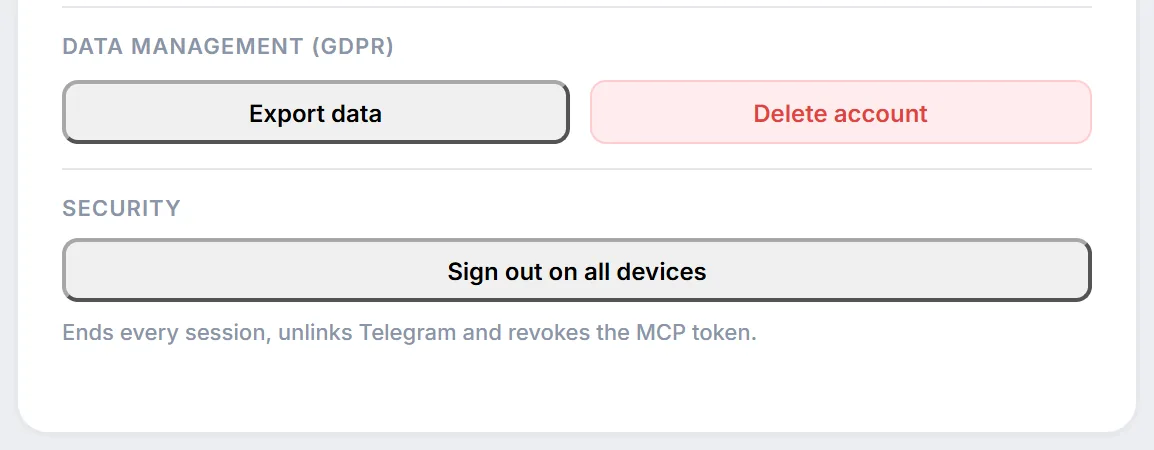
- “Data Management (GDPR)”: the “Export data” and “Delete account” buttons;
- “Security”: the “Sign out on all devices” button with the hint “Ends every session, unlinks Telegram and revokes the MCP token.”
If the widget is collapsed to a small size, the buttons are hidden; expand it.
2. Exporting data as JSON
Click “Export data” and the browser immediately downloads firewire_export.json, followed by the notification “Account data exported successfully”. It is a plain JSON text file: you can open it in any editor, load it into a spreadsheet or process it with a script.
What the export contains:
| Section | Contents |
|---|---|
| Profile | E-mail, name, avatar link, profile settings, registration date, plan, trial end date, date of consent to data processing. |
| Portfolio | Broker accounts (agreement number, name, IIS flag, currency), trades, positions, deposits and withdrawals, coupons and dividends, portfolio value history. |
| Copilot | History of conversations with the AI Copilot. |
| Payments and rewards | Payments (amount, status, plan, period), referral rewards, partner program applications. |
| Community | Public pages, comments, comment likes and reports, community memberships, favorite communities and pages. |
| Other | Notifications and Telegram sign-in sessions. |
The file does not include broker API tokens or your personal GigaChat key: secrets stay only in encrypted storage. More about encryption is on the security page.
3. Deleting your account
The “Delete account” button asks for confirmation: “Are you sure you want to delete your account? This action is irreversible.” Once you agree, Firewire deletes the account and takes you to the sign-in page. Deletion cannot be undone, so export your data first if you may need it.
| Deleted | Remains |
|---|---|
| Profile and settings; broker accounts with trades, positions and payouts; broker connections and their keys; public pages; Copilot history; MCP token and Telegram link; avatar; payment history in the app. All sessions on all devices end. | Your comments on other people's public pages and your support requests, no longer linked to the account; records of manually granted subscriptions, also unlinked; a hash of your e-mail address that lets Firewire know a trial has already been granted to it. |
Because of the last item, signing up again with the same e-mail does not grant a new trial. Periods for which Firewire is legally required to keep certain records (such as payment documents) are listed in section 6 of the privacy policy.
4. Signing out on all devices
Use this button if you lost your phone, signed in on someone else's computer or suspect that somebody got access to your account. After you confirm, Firewire:
- ends all sessions on all devices, including the current one;
- unlinks Telegram: both the notification bot and the support bot, as well as Telegram sign-ins;
- revokes the MCP token: AI agents connected to Firewire via MCP lose access.
Then the sign-in page opens. You will need to link Telegram again in Settings (see Telegram notifications) and issue a new token for AI agents (see MCP and AI agents). Broker connections and portfolio data are not affected by this button.
5. Frequently Asked Questions (FAQ)
Can a deleted account be restored?
No, deletion is irreversible. Save an export with “Export data” before deleting.
Does the export include my broker API keys?
No. Broker keys and the personal GigaChat key are not included in the export file; it contains only portfolio, profile and history data.
After “Sign out on all devices” my Telegram notifications stopped. Why?
The button unlinks Telegram so that a chat linked by a stranger keeps no access. Link the bot again in the notification settings.
What happens to my comments on other portfolios after deletion?
The comment text stays on the pages, but it is no longer linked to your account.