

Telegram Bot, Login, and Notification Setup
Connect Telegram to your Firewire account for real-time portfolio tracking, dividend alerts, passwordless one-click authentication, and customer support.
1. How to Link Your Telegram Account
Connecting Telegram takes just a few clicks:
1. Open Firewire in your browser and go to “Settings” → “Connections & General”.
2. Locate the “Notifications & Telegram” card and click “Link Telegram”. A one-time link code will appear alongside “Copy Code” and “Open Telegram Bot” buttons.
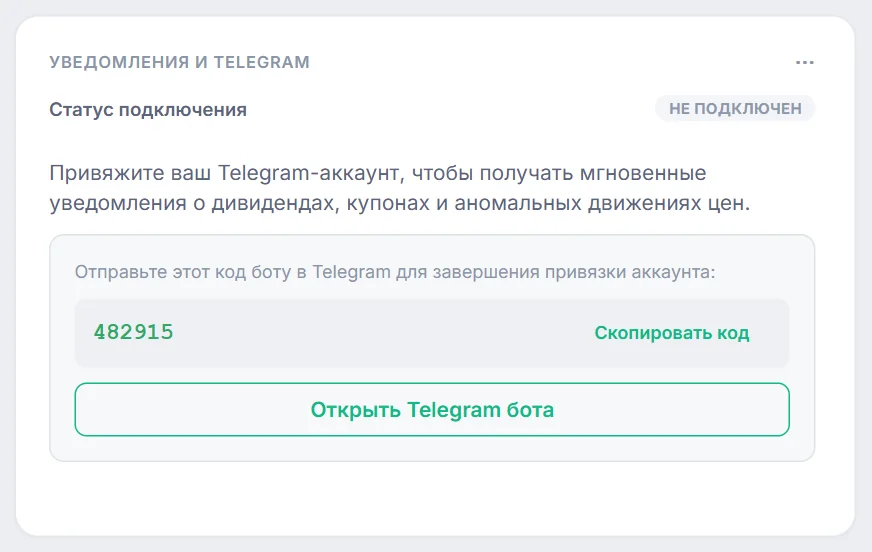
3. Click “Open Telegram Bot” and tap “Start” in the opened chat window: the link automatically embeds your pairing code. If prompted, paste the code into the chat.
4. The bot will immediately confirm successful account pairing.
2. Fast & Secure Telegram Login
Once linked, you can sign in to Firewire without entering your master password:
- On the sign-in modal, click “Sign in with Telegram”.
- Open the official bot and confirm the login request with a single tap.
- Session Isolation: The authentication workflow is bound cryptographically to the originating browser session. One-time tokens are never broadcast to public chats and expire immediately upon use.
3. Notification Types & Scheduled Reports
Customize delivery preferences directly in your account settings:
-
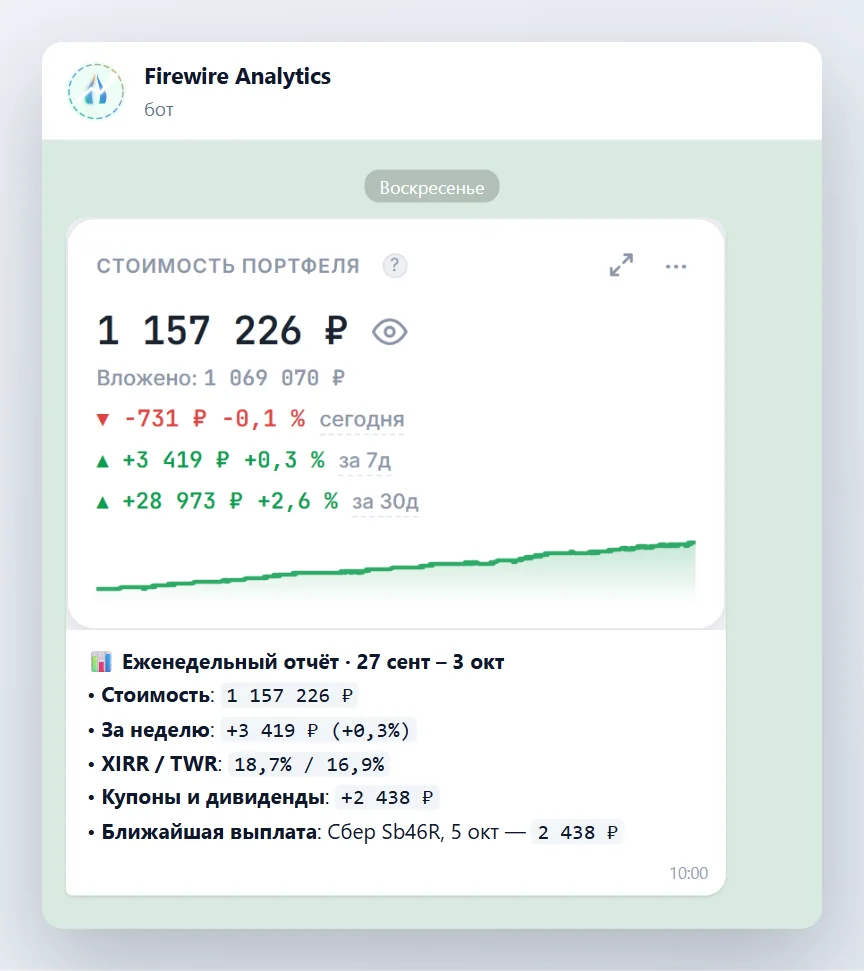
Periodic Portfolio Valuation Reports:
Receive daily or weekly performance summaries, net wealth changes, and active TWR / XIRR rates at your preferred time. -
Dividends & Coupons:
Instant alerts regarding corporate actions, ex-dividend dates, and cash flow credit confirmations (see Payout Calendar). -
Broker API Status:
Instant warning if an external broker token expires or requires manual re-authorization (Data Sync). -
Price Drawdowns & Rebalancing:
Configure asset allocation drift thresholds and price dip alerts. Supported delivery channels include in-app notifications, Telegram, Email, and WebPush.
4. Dedicated Support Bot
Technical support inquiries and ticket tracking are routed through a dedicated assistance bot:
- Inquiries are isolated from standard market alerts, preventing clutter and missed coupon notices.
- Communication history is sanitized and formatted using Telegram HTML standards to protect user confidentiality.
- Unlinking Telegram from account settings automatically detaches all open support tickets from your chat.
5. Session Security & Universal Logout (Logout All)
🛡️ Universal Revocation Protocol
The Telegram bot cannot execute trades, withdraw funds, or alter core cryptographic credentials. Clicking “Log out of all devices” in the web dashboard instantly revokes all browser sessions, Telegram authentication tokens, MCP access keys, and support link codes simultaneously.