

Portfolio Sharing & Public Access
How to safely grant portfolio access to financial advisors, family members, or share analytics online without exposing cash balances.
Sharing Use Cases
Instead of manual screenshots or sharing account passwords, Firewire provides granular control over portfolio visibility:
- For Financial Advisors: provide read-only views of your asset distribution for professional rebalancing advice.
- For Family Budgeting: establish transparency across joint savings goals.
- For Community & Bloggers: publish your asset allocation percentages while keeping currency amounts strictly private.
Generating a Public Link
By default, all your portfolios are strictly private. To enable link sharing:
1. Navigate to your target portfolio and open «Settings» → «Portfolio Sharing».
2. Switch on «Allow link access» to generate a unique, cryptographically secure share link.
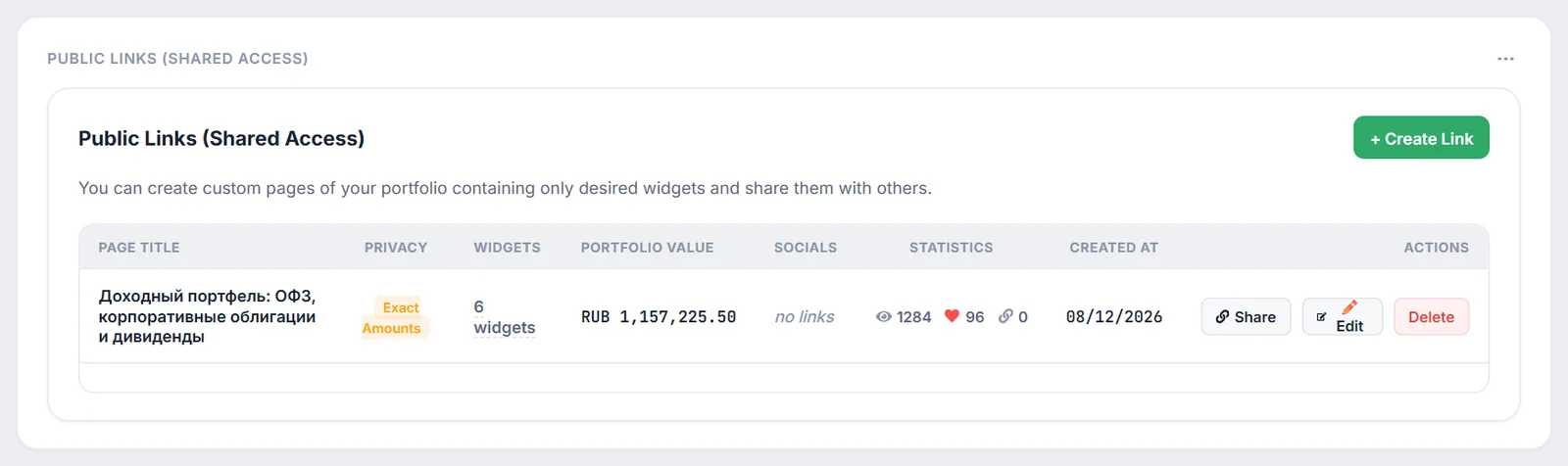
Anonymous Mode (Masking Absolute Values)
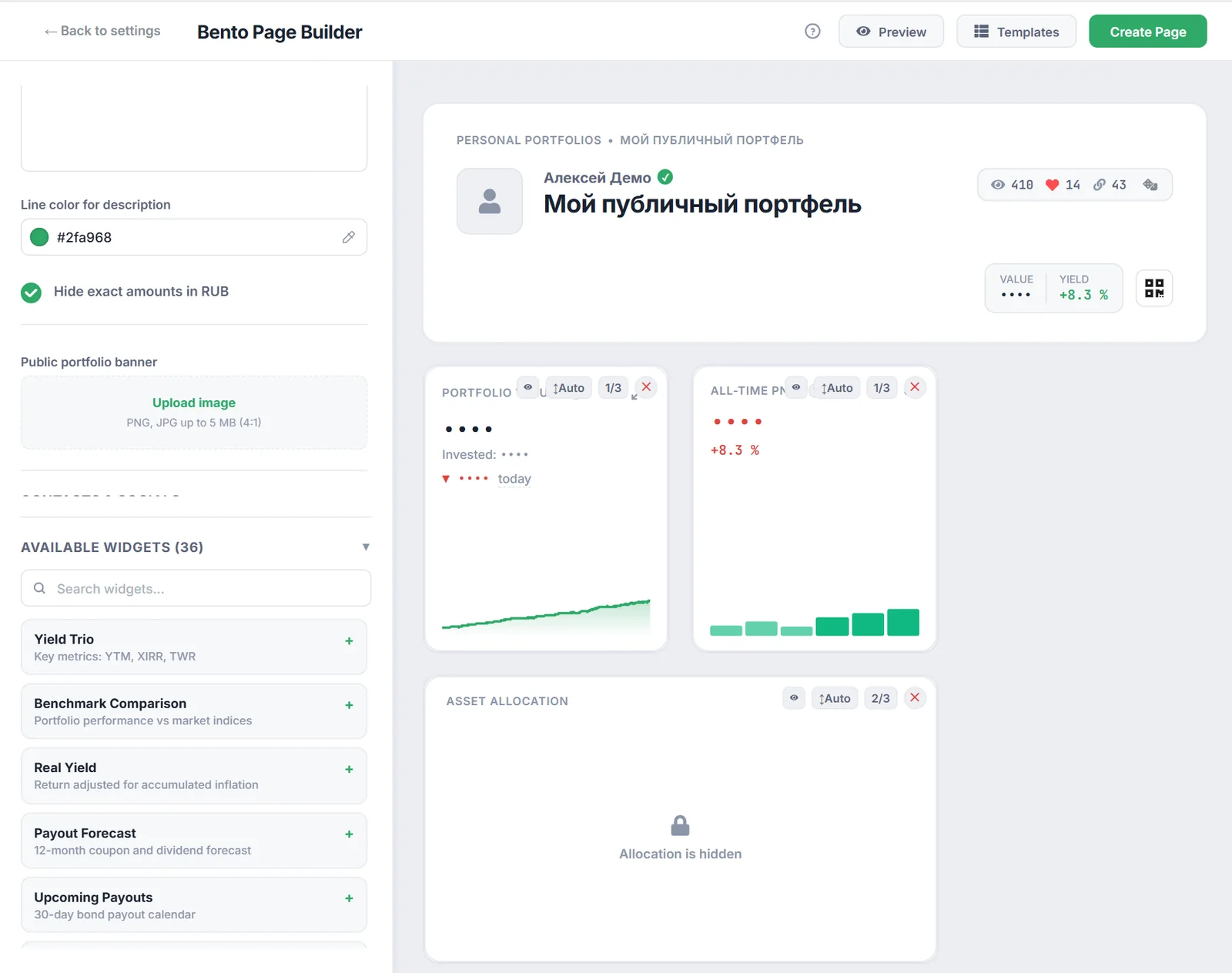
Enable «Hide absolute amounts» (Anonymous Portfolio) before sharing:
- All currency balances are completely concealed.
- Visitors inspect only percentage asset weights and relative performance curves (XIRR/TWR in %).
- Historical cash flows and execution ticket prices remain invisible.
Interactive AI Copilot for Shared Page Visitors
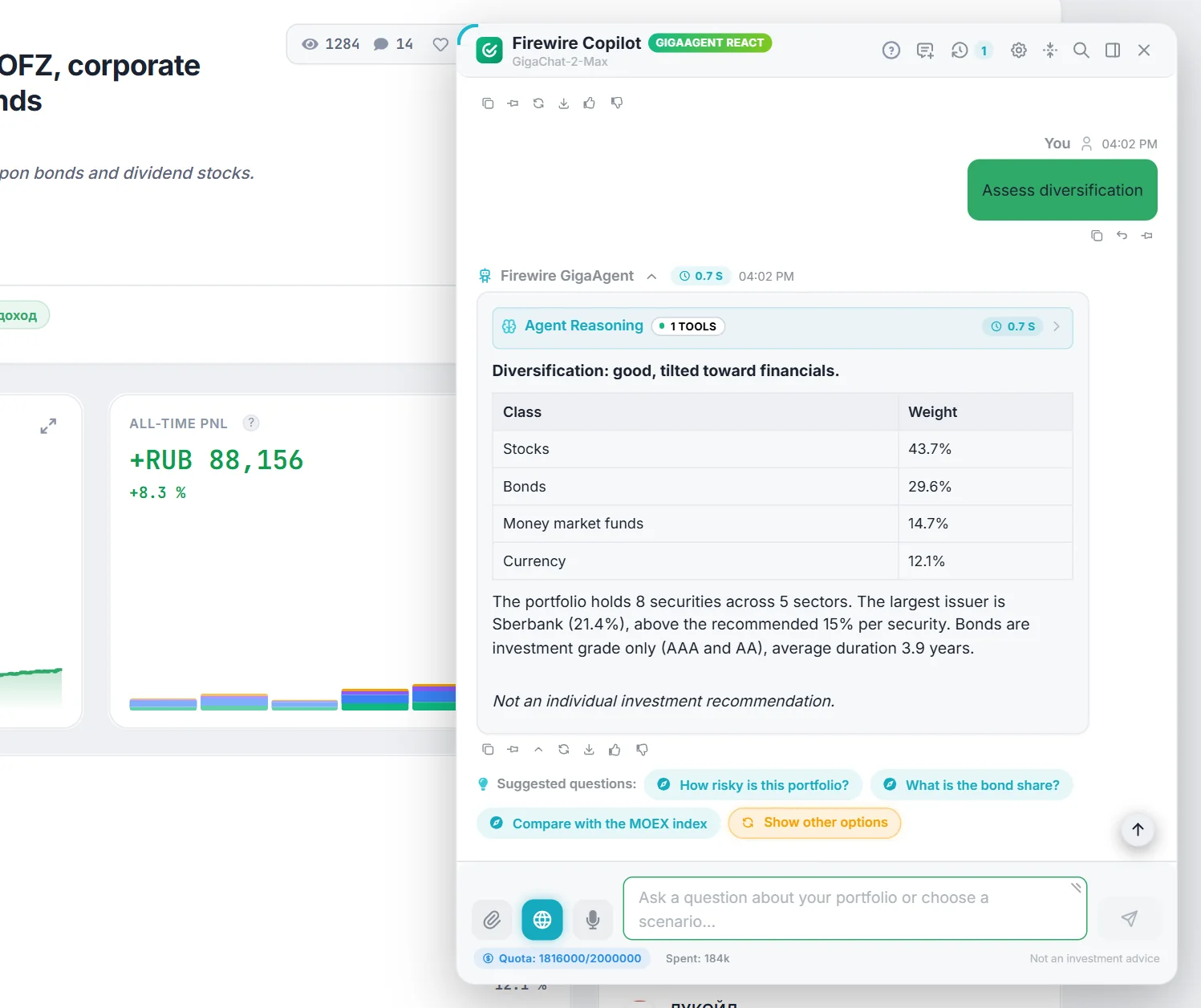
Starting with version 1.75.27, authenticated users viewing shared portfolios (/shared/:token) can interact with AI Copilot:
- Structure & Risk Insights: ask questions regarding asset allocation, weighted duration, sector balance, or HHI concentration.
- Targeted Quick Starters: launch queries with in-chat suggestion chips: «What is the risk level?», «Assess diversification», «What is the bond share?».
- Preserved Balance Privacy: through public MCP tools, Copilot inspects normalized weights only, never uncovering confidential currency amounts.
- Side-by-side Benchmarking: easily inject public tokens into the Portfolio Comparison tool.
Revoking Access
Revoke access at any moment under «Settings» → «Portfolio Sharing» by disabling the toggle. Active links deactivate instantly, and re-enabling generates a brand-new token.