

Subscription: Auto-Renewal, Promo Codes, Cancellation and Refunds
Everything about paying for Firewire lives in two places: the “Tariffs & Subscription” page and the Subscription tab in Settings. Here is how the recurring payment switch works, how to activate a promo code, what happens when you renew or change plans, how to cancel auto-renewal and how to refund a payment yourself.
- Recurring payment: a switch on the plans page chooses whether the payment is set up as recurring or one-time.
- Promo code: gives a percentage discount, a ruble discount or free days; free days activate a plan without payment via “Activate promo code”.
- Renewal and plan change: paid days are not lost; the term is extended or converted at the new plan's price.
- 14-day refund: the refund badge in Payment History returns the full amount to your card; later, via support under the terms of service.
- Payment history: search, status filter and a payment details window with transaction IDs.
1. Where to manage your subscription
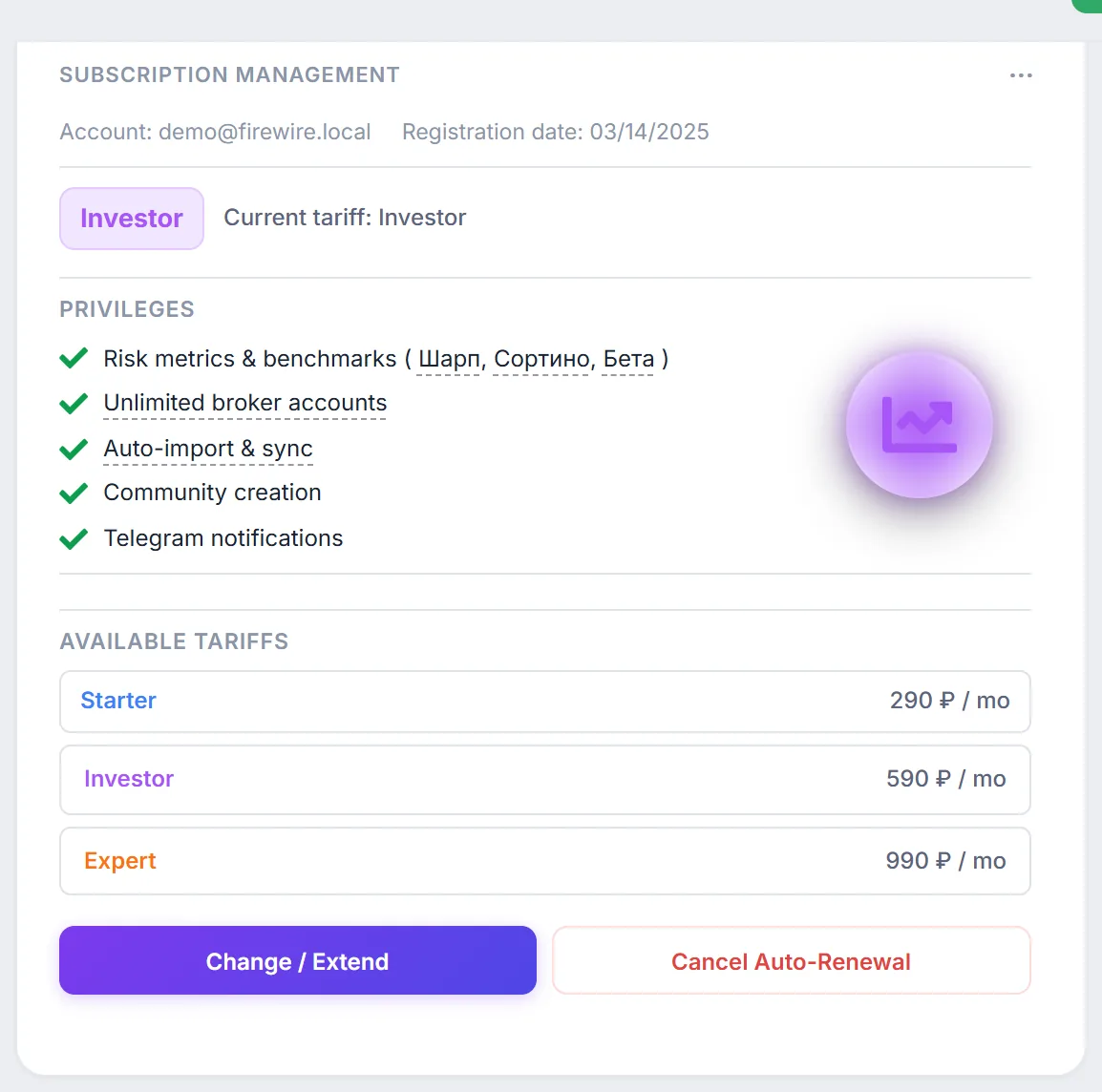
- The “Tariffs & Subscription” page: plan and billing period, the recurring payment switch, the promo code field and the payment history table at the bottom. The “Upgrade Plan” or “Change / Extend” buttons lead there.
- Settings → “Subscription” tab: the “Subscription Management” widget (current plan, trial, privileges, “Cancel Auto-Renewal” button) and the “Payment History” widget with the refund button.
Prices and plan contents are on the website pricing section; this guide covers only managing the subscription.
Some labels in this part of the interface currently appear in Russian even in the English version; below we quote them in Russian with a translation.
2. Recurring payment switch
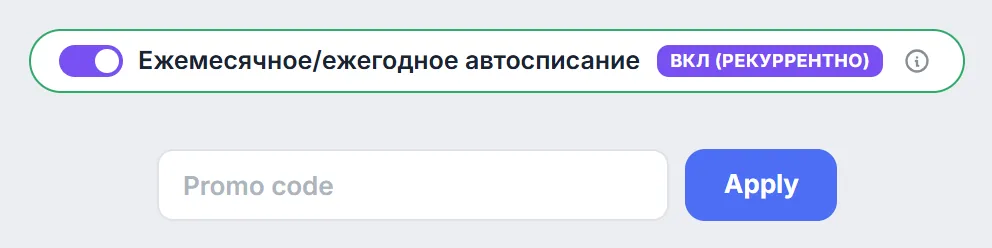
Above the plan cards on the “Tariffs & Subscription” page there is a switch labelled «Ежемесячное/ежегодное автосписание» (“monthly/yearly auto-charge”). It defines how your payment is set up with T-Bank:
- «ВКЛ (Рекуррентно)» (“ON, recurring”): the payment is created as recurring, with the card saved for future charges for the same period;
- «ВЫКЛ (Разово)» (“OFF, one-time”): the subscription is paid once for the chosen term (a month or a year) with no further automatic charges.
Check the switch position before clicking a plan button: it may already be turned on. The auto-renewal procedure (charge dates, reminders and retries) is described in section 3 of the terms of service.
3. How to activate a promo code
- Open the “Tariffs & Subscription” page and choose the billing period.
- Enter the code in the “Promo code” field and click “Apply”. If the code is valid, “Promo applied!” and the size of the benefit appear below the field; otherwise you see an error message.
- Prices on the plan cards are recalculated with the discount. Click the plan button and pay as usual.
There are three kinds of promo codes: a percentage discount, a ruble discount and free subscription days. A free-days code turns the plan buttons into “Activate promo code”: click it and the chosen plan is activated for the stated number of days without payment.
The number of promo code checks per hour is limited to prevent guessing. If a code is not accepted, check the spelling and try again later.
4. Renewal and plan change
You can pay for the next period in advance with “Change / Extend” in the Subscription Management widget. Days you have already paid for are not lost:
- Same plan. The new period is added to the current subscription end date.
- Another paid plan. The unused remainder is converted into days of the new plan by the ratio of monthly prices, and the paid period starts after that date.
where $D_{\text{left}}$ is the number of days until the current subscription ends, and $P_{\text{current}}$ and $P_{\text{new}}$ are the monthly prices of the plans. Moving to a more expensive plan turns the remainder into fewer days, to a cheaper one into more. If the subscription has already ended, the new period starts at the moment of payment.
5. How to cancel auto-renewal
On a paid plan the Subscription Management widget has a “Cancel Auto-Renewal” button. It opens the “Confirm Cancel Subscription” window: click “Cancel Subscription” to confirm or “Back” to change your mind. Access to the plan features remains until the end of the period you have already paid for; cancelling does not refund money. For a refund, see the next section.
6. Refunding a payment
Within 14 days of payment you can request a refund yourself:
- Open Settings → Subscription → the “Payment History” widget.
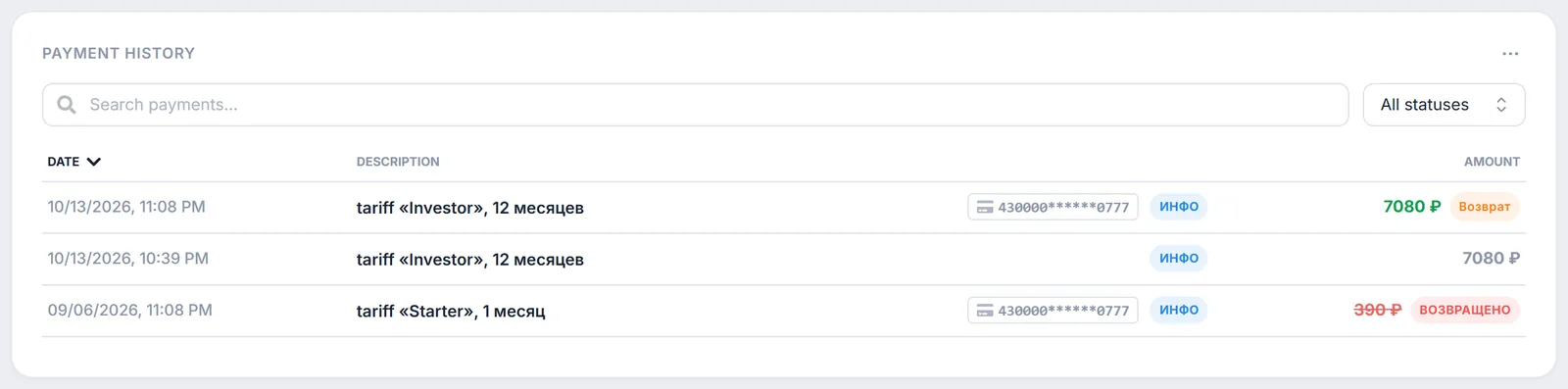
- Click the orange «Возврат» (“Refund”) badge next to the payment.
- In the «Оформить возврат» (“Request refund”) window check the amount and confirm.
The full payment amount is returned to the card it was charged from. The payment gets the «ВОЗВРАЩЕНО» (“refunded”) badge in the history, and the subscription paid for by it is cancelled: as the refund window warns, the plan is reset to Basic.
7. Payment history and statuses
The “Payment History” widget in Settings lists every transaction: date, description (plan and term), card mask and amount. There is a “Search payments...” field, an “All statuses” / “Paid” / “Failed” filter and column sorting. The «ИНФО» (“info”) badge opens a payment details window with the date, amount, status, card, operation ID and T-Bank ID; these numbers help when you contact support.
The table on the “Tariffs & Subscription” page shows a status for each transaction:
| Status | Meaning |
|---|---|
| SUCCESS | The payment went through and the subscription was credited. |
| PENDING | The payment was created but the bank has not confirmed it yet. |
| EXPIRED | The payment was not completed within an hour of being created. |
| FAILED | The payment was declined or cancelled. |
| REFUNDED | The money was returned to the card. |
Hovering over a failed payment shows an “Error / Cancel Reason” tooltip. The bank does not pass the specific reason to Firewire, so the tooltip gives general advice: check your card balance or pay via SBP. You can retry the payment at any time.
8. Frequently Asked Questions (FAQ)
I cancelled auto-renewal. Does my subscription end right away?
No. Access to the plan features remains until the end of the period you have already paid for. Cancelling auto-renewal does not refund money; use the refund badge in Payment History for that.
Will I lose paid days if I switch to another plan?
No. The remainder of the current subscription is converted into days of the new plan by the ratio of monthly prices, and the new paid period starts after them.
Why didn't the refund button work?
Self-service refunds are available within 14 days of payment. If that period has passed, write to info@fire-wire.ru: the refund is calculated under the terms of service.
Do I need a card for a free-days promo code?
No. After “Apply”, the plan buttons change to “Activate promo code”, and the plan is activated without payment for the number of days in the code.