

Joining Investor Communities
A Firewire community is a group of investors around one topic: bonds, dividends, FIRE. Any user can browse communities and members' portfolios — see Your Portfolio Next to Others. This guide covers what happens after "Join Group": the request, favorites, publishing your own portfolio and the "Participation Settings" that decide which notifications you get.
- Where: sidebar → "Communities" → the "Communities" tab → a group card.
- Joining works by request, starting from the Starter plan (and during the trial).
- Notifications about new portfolios, their updates and comments are set separately for each community.
- Creating communities is not available to users yet — new groups are added by the Firewire team.
1. How to join a community
- Open "Communities" in the sidebar and go to the "Communities" tab.
- Click "Join Group" on the community card or on its page. A "Request Sent" message appears.
- While moderators review the request, the button reads "Pending (Cancel)" — click it if you change your mind.
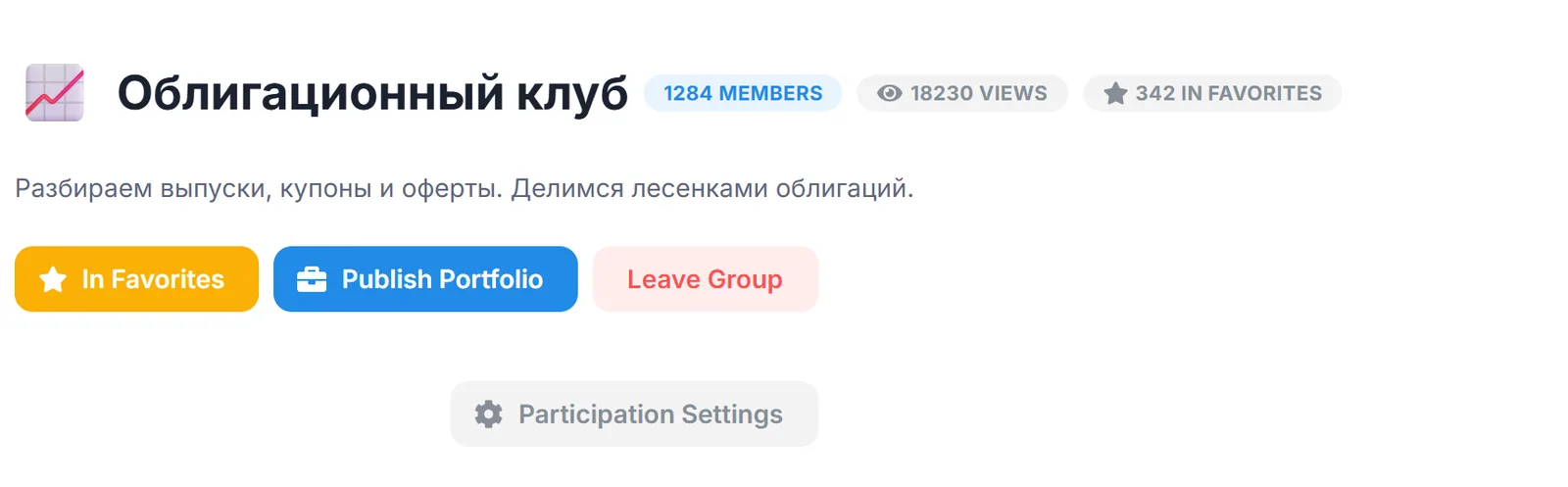
- Once approved, the community page shows the "Publish Portfolio", "Leave Group" and "Participation Settings" buttons. If the request is rejected, the community list shows "Application Rejected".
Plan. You can join communities on the Starter, Investor and Expert plans, as well as during the trial. On Free the server rejects the request, but browsing communities and members' portfolios works without a subscription. Prices are on the pricing page.
2. Favorites and publishing your portfolio
- "Add to Favorites". The button on the community page adds it to your favorites; you only need to be signed in. The community header shows how many people have favorited the group.
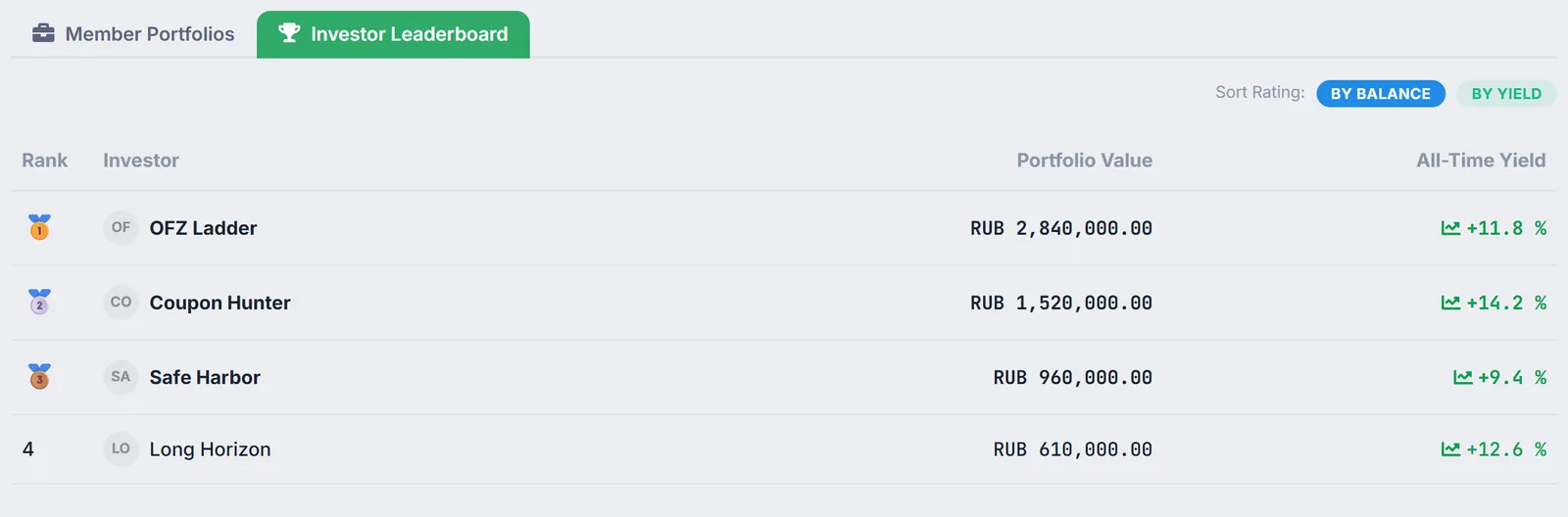
- "Publish Portfolio". Opens the public page builder with the community already selected. Once published, the page appears in the "Member Portfolios" tab, and you appear in the "Investor Leaderboard" ranked by value or by all-time return. If you do not want to show amounts, turn on "Hide exact amounts in RUB" — see Sharing.
- "Leave Group". Leaving deletes your membership together with your participation settings. To come back you will need to apply again and set the settings anew.
3. Participation Settings: which notifications you get
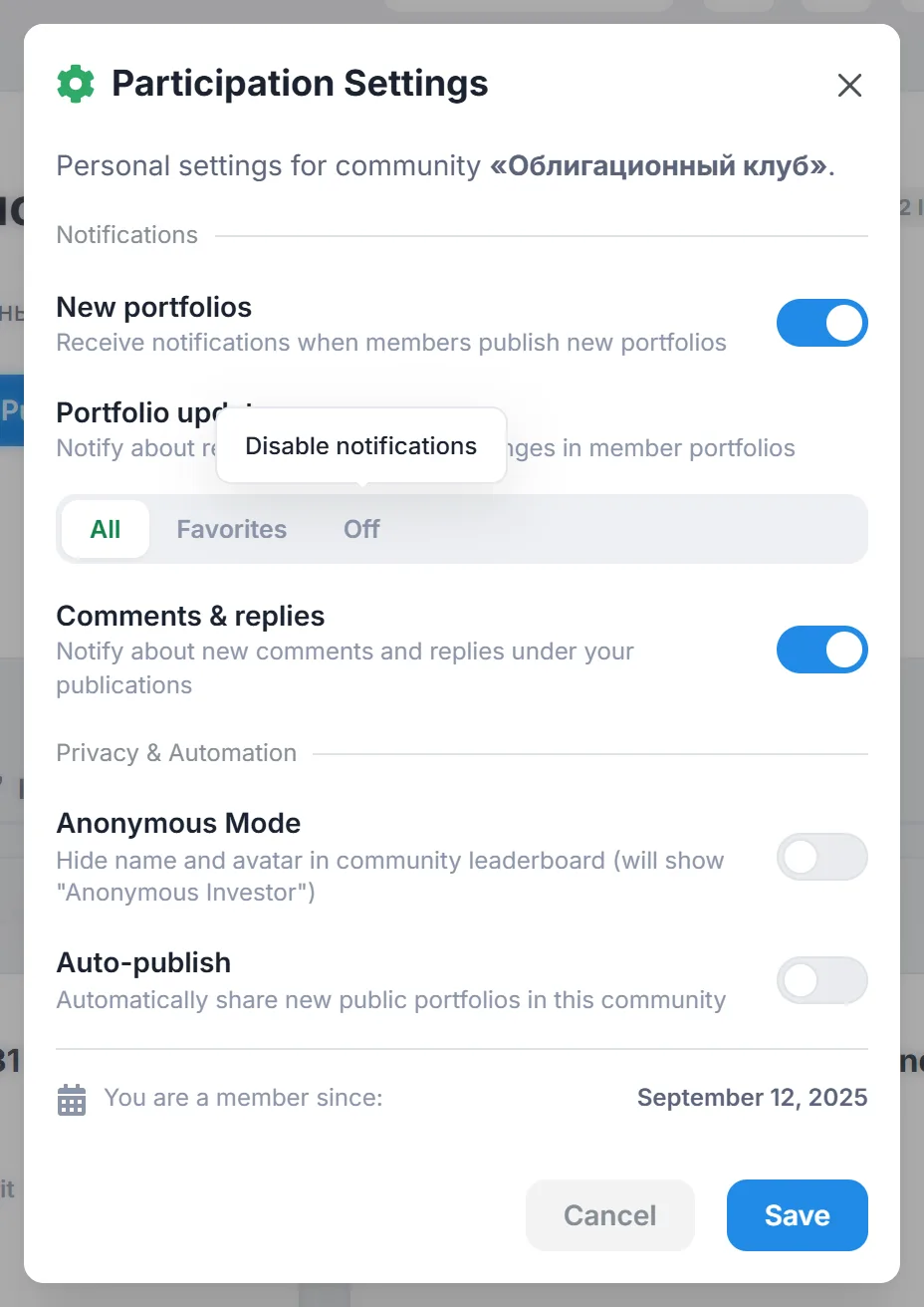
The "Participation Settings" button appears on the community page once you are a member. The settings apply only to this community — each group can have its own mode. Notifications arrive in the Firewire Notifications Center.
| Setting | Options | When you get a notification |
|---|---|---|
| "New portfolios" | on / off (on by default) | a member published a new public page in the community |
| "Portfolio updates" | "All" / "Favorites" / "Off" ("All" by default) | an author saved changes to their page in the community; with "Favorites" — only for portfolios you added to favorites |
| "Comments & replies" | on / off (on by default) | someone commented on your page in this community or replied to your comment there |
If you follow many authors, the "Favorites" mode for updates cuts the noise: you only hear about changes from those you track. You do not get notifications about your own publications.
4. Anonymous Mode and Auto-publish: a caveat
The "Privacy & Automation" block has two more switches: "Anonymous Mode" (hide your name and avatar in the leaderboard) and "Auto-publish" (share new public portfolios in this community automatically). For now they only store your choice: the "Investor Leaderboard" still takes the name and avatar from the author profile, and a new page has to be published to the community manually by selecting it in the builder.
If you do not want to show your real name, set an alias: "Settings" → "Connections & Main" → "Author Profile" → "Author Name / Alias". That is what appears in the leaderboard and on your public pages.
5. Frequently asked questions (FAQ)
Can I create my own community?
Not yet: new communities are created by the Firewire team. Users can join existing groups and publish their portfolios there.
Why don't I see the "Participation Settings" button?
It appears only for approved members. While your request is pending, the community page shows "Pending (Cancel)".
Are my settings kept if I leave and join again?
No. Leaving deletes the membership together with the participation settings; after rejoining the defaults apply.
Do I need a subscription to view members' portfolios?
No, communities and their public portfolios can be viewed on any plan. A subscription from Starter is needed to join a group.