

Social Benchmarking & Portfolio Sharing
Firewire Analytics enables anonymous portfolio performance sharing and side-by-side comparison with public portfolios of other investors on the platform.
1. Publish your portfolio
To take part in comparisons, create a public page for your portfolio: «Settings» → «Communities & Access» tab → «+ Create Link». To keep amounts private, enable «Hide exact amounts in RUB» — others will only see asset weights and returns in percent. See Portfolio Sharing for details.
2. Explore other investors' portfolios
The «Communities» item in the sidebar opens the investor communities catalog with three tabs:
- Portfolios — public portfolios with value, profit, return and passive income. Search by name, author or hashtag and sort by interesting, new, popular, largest balance, passive income or likes.
- Communities — investor groups. Inside a community you get member portfolios and an investor leaderboard ranked by balance or all-time return.
- Trades — a feed of buys and sells from public portfolios, filterable by ticker or author.
3. Compare portfolios side by side
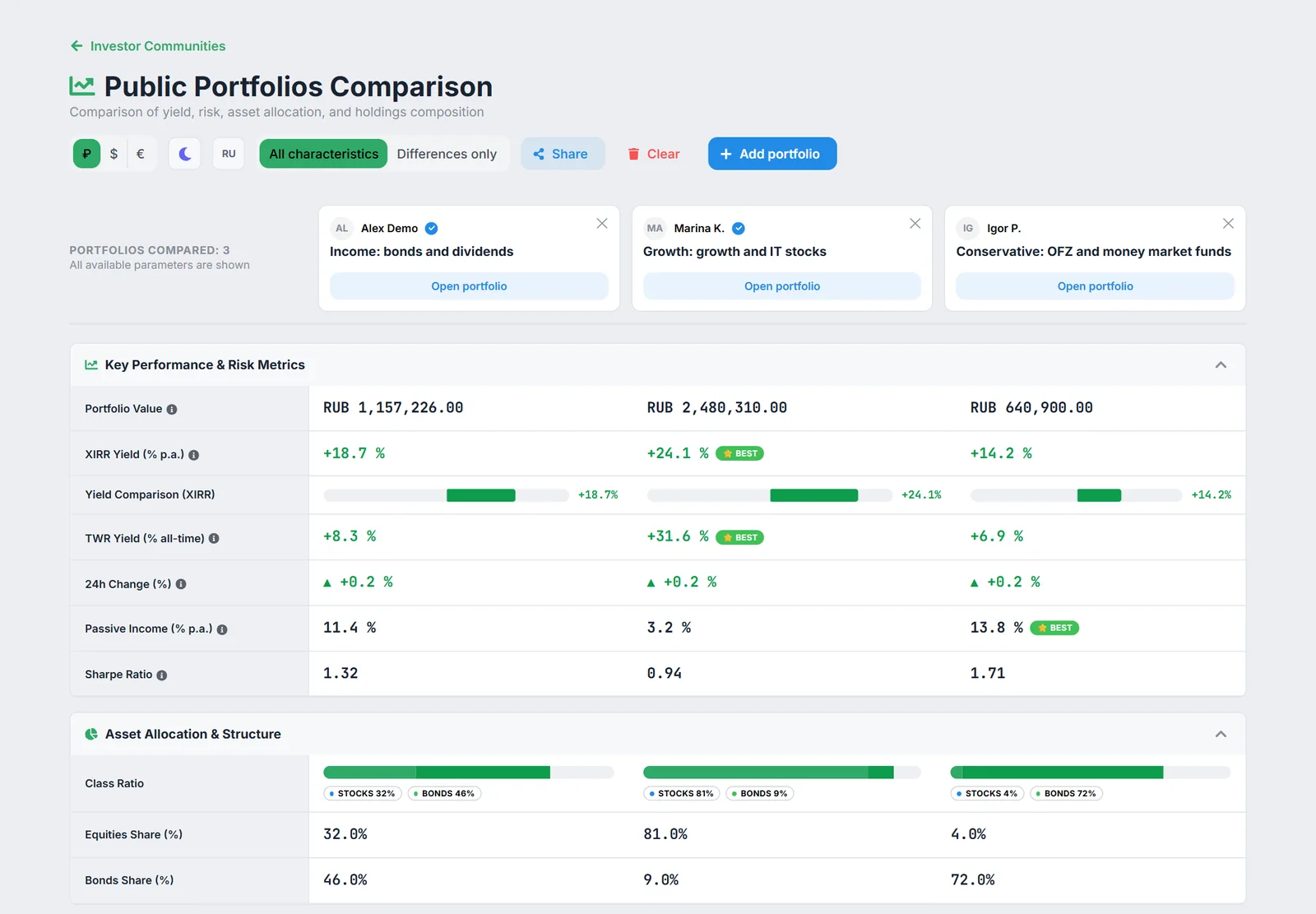
Click «Add to comparison» on a portfolio card — up to 5 portfolios at once, including your own public one. The Public Portfolios Comparison page shows XIRR and TWR returns, passive income, Sharpe ratio and asset structure; «Differences only» hides matching rows and «Share» gives a link to the comparison.
You compare against specific portfolios of other investors: the platform does not calculate averages or medians across all users.