

Portfolio in Dollars, Euros and Yuan: Display Currency
Firewire calculates your portfolio in rubles, but it can show the amounts in dollars, euros or yuan as well. Press the currency button in the app header and portfolio value, profit and payouts are converted at the current exchange rate. This guide also explains how to choose the inflation source for real return.
- One button: the
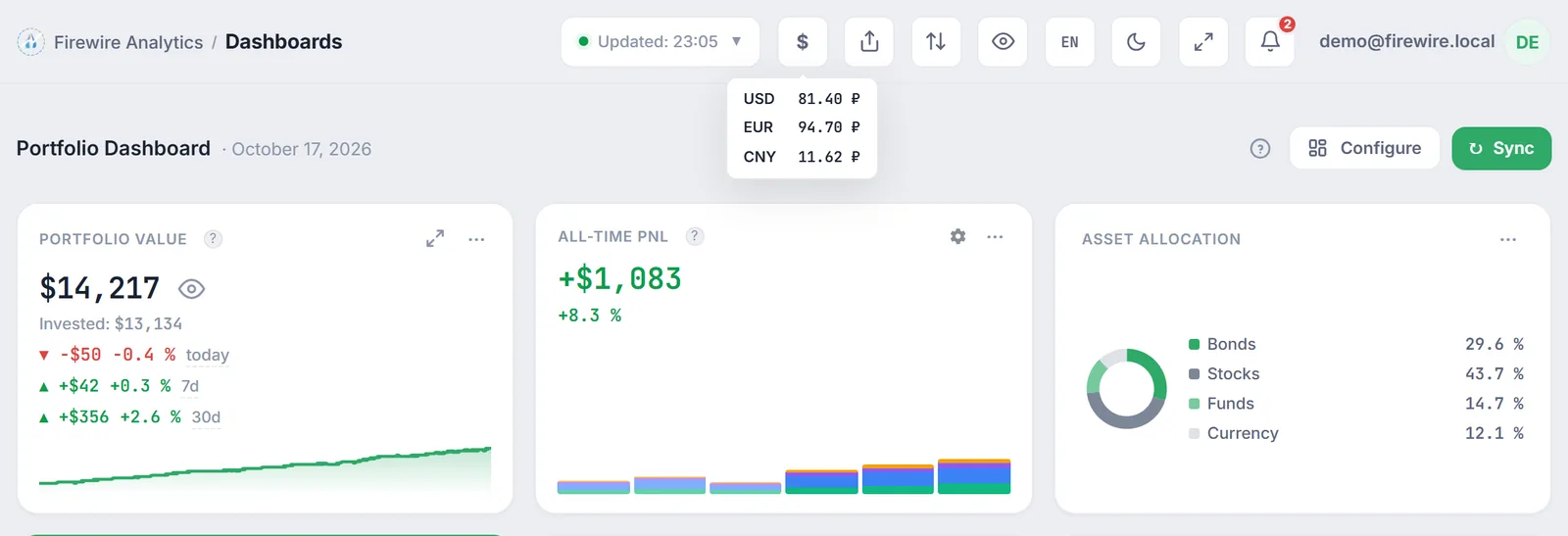
₽icon in the header cycles ruble → dollar → euro → yuan. - Rate: the ruble amount is divided by today's Bank of Russia rate; hover over the button to see the rate in use.
- Percentages stay the same: returns are calculated from ruble amounts; only the way money is written changes.
- Stored in the browser: the currency is remembered on this device; another device opens in rubles.
- Inflation: under Preferences you choose which CPI series feeds real return.
1. Why view your portfolio in another currency
The ruble is the currency in which Firewire stores trades and runs its analytics. Yet many investors prefer to measure capital differently: a savings goal set in dollars, expenses paid partly in yuan, or simply curiosity about how the portfolio looks to a foreign reader. The currency switch answers “how much is this in dollars (euros, yuan) at today's rate” without dividing numbers on a calculator.
The conversion only changes how amounts are written on screen. Trades, positions and return calculations stay the same; what changes is the currency sign and the number next to it.
2. Where to switch the currency
There are two places, and both change the same setting.
- The header button. On the right of the top bar, next to the sync button, there is a square button showing the current currency sign (
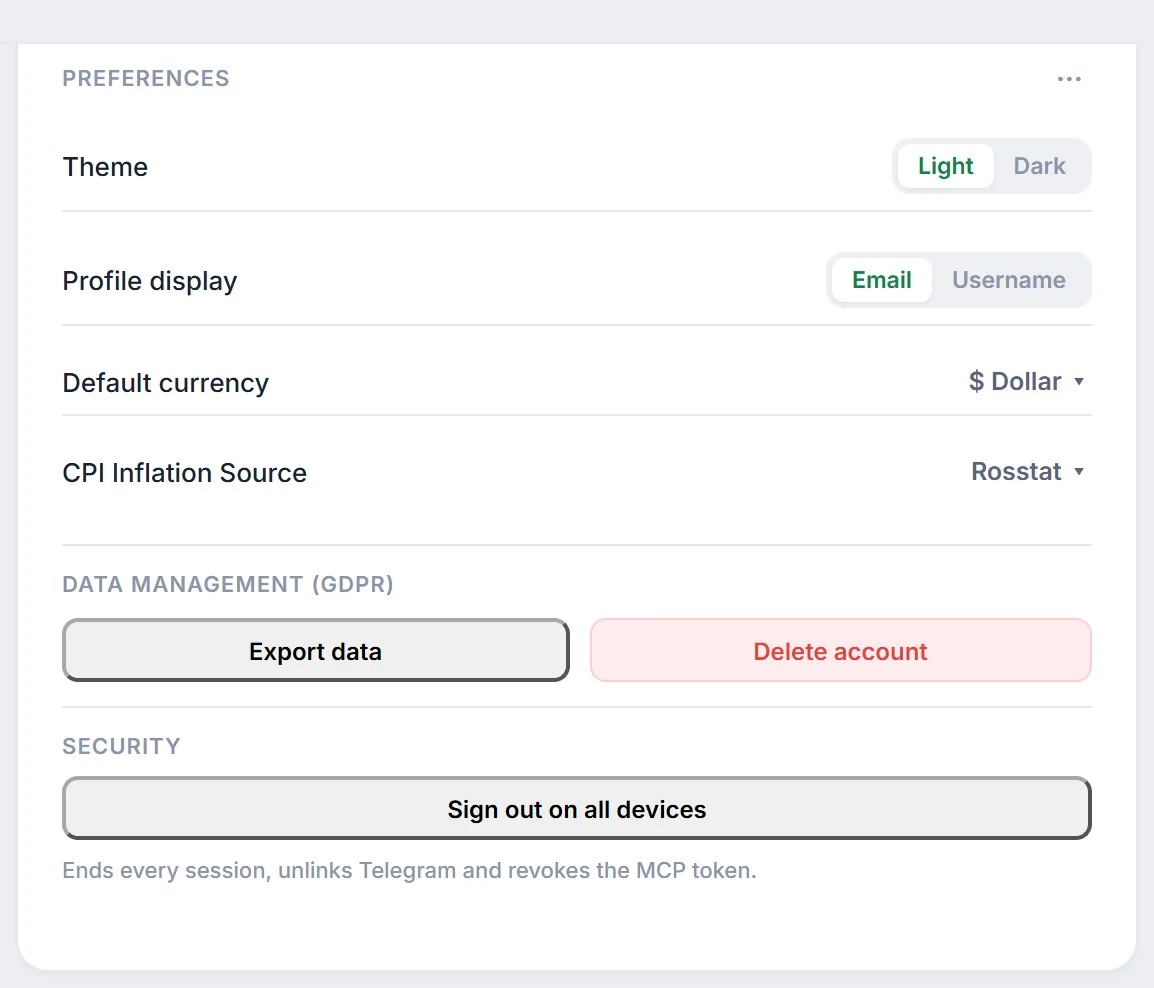
₽,$,€or¥); its tooltip reads “Toggle display currency”. Each click moves to the next currency in a loop: ruble → dollar → euro → yuan → ruble again. Hover over it to see a small table with USD, EUR and CNY rates in rubles. - The “Default currency” setting. Settings → “Connections & Main” tab → “Preferences” widget. Pick “₽ Ruble”, “$ Dollar”, “€ Euro” or “¥ Yuan” in the drop-down list. A notification “Default currency changed to …” confirms the change.
After the switch the app requests data again, so widgets may show a loading state for a second; that is expected.
3. How Firewire converts amounts
The conversion is simple: a ruble amount is divided by the rate of the chosen currency against the ruble.
where $S_{\text{RUB}}$ is the amount in rubles calculated by Firewire and $K$ is the rate: how many rubles one dollar, euro or yuan costs. For example, at $K = 81.4$ RUB per dollar a portfolio worth 814,000 RUB is shown as $10,000.
Where the rate comes from:
- Primary source: the official Bank of Russia rates for the current day. The Firewire server caches them for an hour, so the rate refreshes on its own during the day.
- If Bank of Russia data is unavailable, Firewire uses the Moscow Exchange rate (next-day settlement instruments such as
USDRUB_TOM). - If both sources are unavailable, built-in fallback rates are used: conversion keeps working, but may differ noticeably from the market. The tooltip of the currency button always shows the rate in use.
4. What is converted and what is not
| On screen | What happens when you switch currency |
|---|---|
| Portfolio value, profit, payouts, amounts in widgets | Converted at the current rate and shown with the chosen currency sign. |
| Percentage returns (TWR, XIRR, YTM, etc.) | Unchanged: they are calculated from ruble amounts. |
| Historical value charts | Every point is divided by today's rate, not by the rate of that day. The chart keeps its ruble shape. |
| Amounts with an explicitly set currency (e.g. prices and trade amounts on a bond page) | Stay in the security's own currency. |
One more caveat: the currency choice is stored in the browser. On another computer, on your phone or after clearing site data Firewire opens in rubles again; just switch the currency once more.
5. Inflation source (CPI) for real return
Next to the currency, the Preferences widget has a “CPI Inflation Source” setting. It defines which inflation series Firewire uses to turn nominal return into real return. The options are:
- “Rosstat”, the default;
- “Manual”, a value entered by a Firewire administrator in the “Inflation (CPI)” widget;
- “BCS Forecast”.
Like the currency, this choice is remembered in the browser and immediately recalculates the return widgets. If Firewire has no data for the selected source, the default inflation value is used.
The “Inflation (CPI)” widget on the same settings tab shows the current annual inflation. The CPI series is shared by all users, so only a Firewire administrator can change the value there; a regular user sees it read-only and controls only the choice of source.
6. Frequently Asked Questions (FAQ)
Why did my percentage return stay the same after switching to dollars?
Firewire calculates returns from ruble amounts. The switch only changes how money is written: every amount is divided by the same current rate, so the ratios between them and the percentages stay the same.
Why does my phone show rubles when I chose dollars on my computer?
The display currency is stored in the browser of each device, not in your profile. Choose it on the phone with the header button or under Settings → Preferences.
Which rate is used and how can I check it?
Today's official Bank of Russia rate when it is available; otherwise the Moscow Exchange rate. Hover over the currency button in the header: the tooltip shows dollar, euro and yuan rates in rubles.
Can I enter my own inflation figure?
No. “Manual” in the list of sources is a value entered by a Firewire administrator. A user only chooses the CPI series: “Rosstat”, “Manual” or “BCS Forecast”.